5120 x 2160
- Aspect
- 2.37:1
- vs 4K
- 1.33×
- Pixels
- 11.1 MP
A wider 4K-height workspace. It keeps the vertical room of 4K while adding ultrawide space on the sides.
Measure the screen, plan the desk — before you buy. Type a diagonal and pick a resolution, and Monitor Math returns the real width, height, screen area, and pixel density in inches and cm, draws it to scale, and checks how it fits your desk.
Place real monitor sizes on a desk, angle side screens, and check whether a large ultrawide or stacked layout has room.
Open builder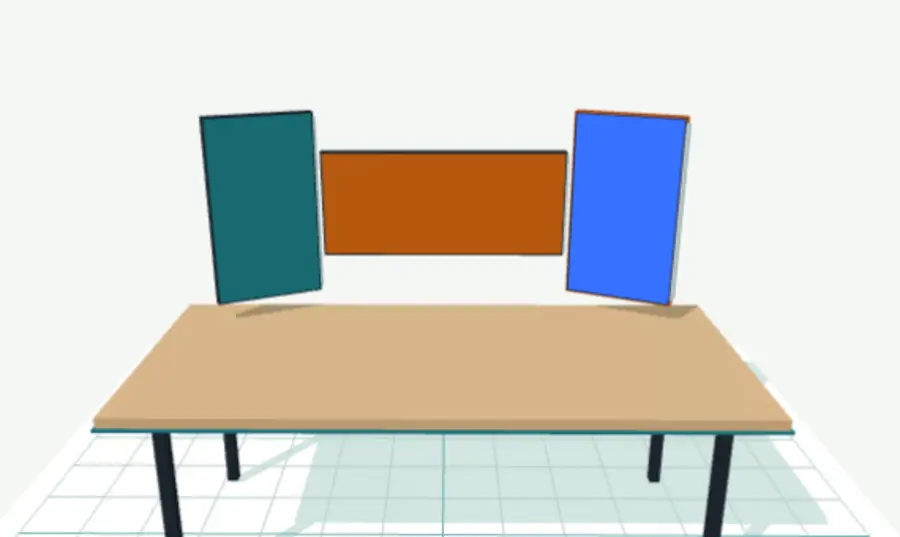
Start with exact screen dimensions, then test the layout on your desk. Use the size guide for a single display, compare two monitors side by side, or place your choices in the 3D setup planner.
Place ultrawides, portrait side displays, portable dashboards, and stacked screens on a real desk footprint.
Open builder →Start from practical combinations like 34 + portrait 27, 45 + side display, 49 + portrait 27, and dashboard screens.
Browse setups →The size page for 32-inch monitor dimensions, 4K scaling, 1440p trade-offs, and ultrawide alternatives.
Check dimensions →Jump straight to practical monitor comparisons: 27-inch vs 32-inch, first ultrawide jumps, 38/40/45/49-inch desk trade-offs, and setup layouts you can adjust in the builder.
Quick visual checks for the questions that are hard to judge from diagonal size alone: physical screen shape, desk span, and how wide resolutions compare with 4K.
A wider 4K-height workspace. It keeps the vertical room of 4K while adding ultrawide space on the sides.
Compare 16:10, 21:9 4K, 5K2K, DQHD, and dual-4K resolutions, then compare real monitors and desk fit.
Open guide →A focused list of 5120 x 2160 ultrawide monitors, with 40-inch and 45-inch models ready to compare or place on a desk.
Browse →Check whether you want a larger 21:9 canvas or the extra-wide feel of a 32:9 super ultrawide.
Compare →A monitor's advertised size is its diagonal, but the useful numbers are width and height. Split the diagonal by the aspect ratio: width = diagonal × ratioW ÷ √(ratioW² + ratioH²), and height = diagonal × ratioH ÷ √(ratioW² + ratioH²). This calculator does it automatically — enter a diagonal and aspect ratio to get exact width, height, screen area, and pixel density in inches and centimeters.
A 27-inch 16:9 monitor is about 23.5 inches wide and 13.2 inches tall (59.8 × 33.6 cm), roughly 312 square inches of screen. Width and height depend on the aspect ratio, so a 27-inch 16:9 and a 27-inch ultrawide are not the same shape at the same diagonal.
Use the aspect ratio. For a 16:9 screen, width ≈ diagonal × 0.872 and height ≈ diagonal × 0.490. For other shapes (16:10, 21:9, 32:9, 3:2), the exact ratio changes those multipliers — the calculator applies the precise formula for any aspect ratio you enter.
PPI (pixels per inch) measures sharpness: PPI = √(widthPx² + heightPx²) ÷ diagonal. A 27-inch 1440p panel is about 109 PPI, while a 27-inch 4K panel is about 163 PPI. Use the dedicated PPI calculator at /ppi-calculator for any size and resolution.
Only if they share an aspect ratio. A 34-inch 21:9 ultrawide is far wider and shorter than a 34-inch 16:9 monitor. Aspect ratio changes both width and height even at an identical diagonal, which is why the calculator asks for the shape as well as the size. The aspect ratio calculator at /aspect-ratio-calculator shows the difference.
What 5120 x 2160 actually buys you, which 40 and 45-inch models fit the category, and when 5K2K beats a 49-inch super ultrawide.
Read →The 45-inch ultrawide desk-fit question: panel height, curve, arm reach, viewing distance, and side-monitor layouts.
Read →Combined widths for common multi-monitor layouts, the depth dimension everybody skips, and a tool to check your own desk.
Read →