Best 5K2K & 6K ultrawide monitors (2026)
5K2K (5120 × 2160) gives an ultrawide the full vertical height of 4K with extra width — and 2026 added the first 52-inch 6K. These are six options compared by calculated pixel density, published specifications, and the tradeoffs that matter at your desk.
For coding and office work, start with the Dell U4025QW. For OLED gaming, compare the LG 45GX950A. For the most desktop workspace, look at the Dell U5226KW. The right choice depends on text size, curve, desk space, and your computer.
As an Amazon Associate I earn from qualifying purchases. Recommendations are based on published specifications and calculations, not hands-on testing. Updated September 10, 2026.
Picks at a glance
| Pick | Monitor | Size | PPI | Shop |
|---|---|---|---|---|
| OLED gaming and mixed use | LG UltraGear OLED 45GX950A | 45" · 5120×2160 | ~123 | View on Amazon |
| Coding and office work | Dell UltraSharp U4025QW | 39.7" · 5120×2160 | ~140 | View on Amazon |
| Maximum desktop workspace | Dell UltraSharp U5226KW | 51.5" · 6144×2560 | ~129 | View on Amazon |
| Large-format 240Hz gaming | LG UltraGear evo 52G930B | 51.5" · 5120×2160 | ~108 | View on Amazon |
| 40-inch high-refresh gaming | Samsung Odyssey G7 G75F 40 | 40" · 5120×2160 | ~139 | View on Amazon |
| An alternative for desktop work | LG UltraWide 40WP95C-W | 39.7" · 5120×2160 | ~140 | View on Amazon |
All picks compared
| Monitor | Size · Res | Panel · Hz | PPI | Best for |
|---|---|---|---|---|
| LG UltraGear OLED 45GX950A | 45" · 5120×2160 | WOLED · 165Hz | ~123 | OLED gaming and mixed use |
| Dell UltraSharp U4025QW | 39.7" · 5120×2160 | IPS Black · 120Hz | ~140 | Coding and office work |
| Dell UltraSharp U5226KW | 51.5" · 6144×2560 | IPS Black · 120Hz | ~129 | Maximum desktop workspace |
| LG UltraGear evo 52G930B | 51.5" · 5120×2160 | VA · 240Hz | ~108 | Large-format 240Hz gaming |
| Samsung Odyssey G7 G75F 40 | 40" · 5120×2160 | VA · 180Hz | ~139 | 40-inch high-refresh gaming |
| LG UltraWide 40WP95C-W | 39.7" · 5120×2160 | Nano IPS · 72Hz | ~140 | An alternative for desktop work |
PPI is calculated as √(horizontal pixels² + vertical pixels²) ÷ diagonal inches. Panel dimensions use the listed diagonal and aspect ratio; they exclude bezels, stands, and the effect of curvature on desk footprint. Use manufacturer chassis dimensions for fit. We do not measure brightness, response time, or color accuracy. Amazon search results can mix models and sellers; confirm the model number, condition, warranty, and total price before buying.
#1 · OLED gaming and mixed use
41.5 × 17.5 in (105 × 44 cm) · ~123 PPI · calculated panel size
LG UltraGear OLED 45GX950A
45" · 5120×2160 · WOLED · 165Hz · 800R
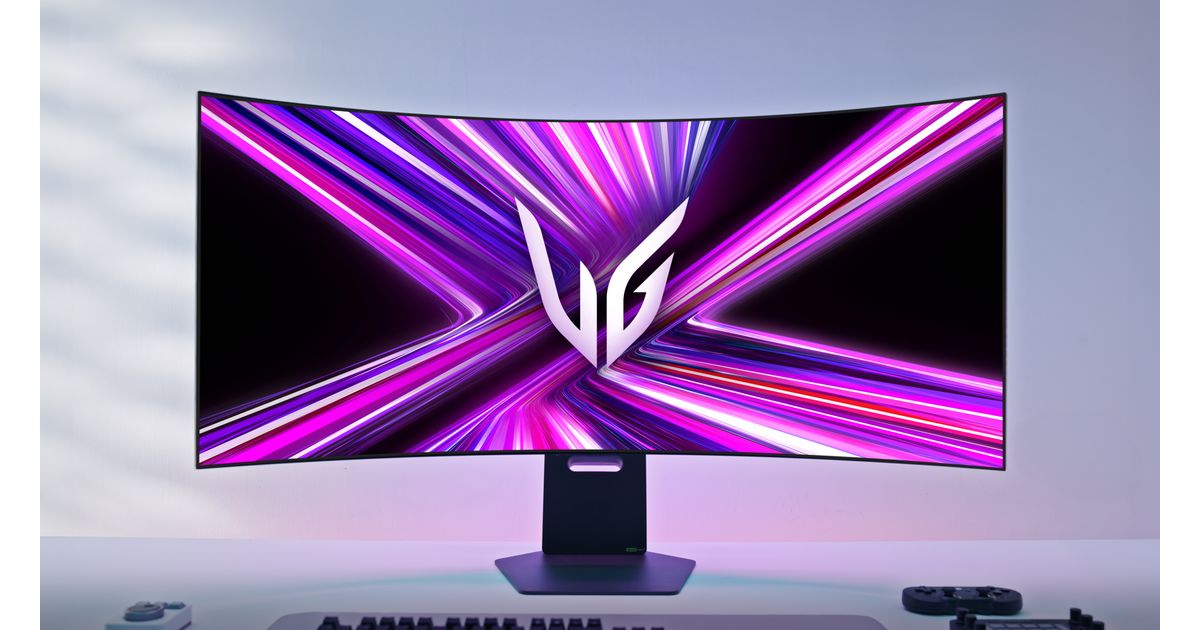 Image: LG Electronics Nordic
The 45GX950A combines 5120 × 2160 with OLED and a native 165Hz refresh rate. It suits a desk used for games, media, and work when you want a larger image than a 40-inch screen. Its 330Hz dual mode uses a lower resolution; it is not 330Hz at 5K2K.
Before you choose: The pronounced 800R curve is a preference to try before buying. Text is less dense than on a 40-inch 5K2K display. For long days of static windows, compare the OLED care and warranty terms with the IPS options.
#2 · Coding and office work
36.6 × 15.4 in (93 × 39 cm) · ~140 PPI · calculated panel size
Dell UltraSharp U4025QW
39.7" · 5120×2160 · IPS Black · 120Hz · 2500R
The U4025QW pairs a 39.7-inch IPS Black panel with 5120 × 2160 at 120Hz. Thunderbolt 4, up to 140W laptop charging, and KVM make it a practical shortlist choice for a laptop desk or two-computer workspace.
Before you choose: Its smaller image gives higher pixel density than the larger picks, but you may want display scaling for comfortable text. Check your laptop and dock support the requested resolution and refresh rate before relying on a single cable.
#3 · Maximum desktop workspace
47.5 × 19.8 in (121 × 50 cm) · ~129 PPI · calculated panel size
Dell UltraSharp U5226KW
51.5" · 6144×2560 · IPS Black · 120Hz · 4200R
The 51.5-inch viewable U5226KW offers 6144 × 2560 at 120Hz: 42% more pixels than 5120 × 2160. Its IPS Black panel and Thunderbolt 4 hub are aimed at expansive desktop work, with KVM support for multiple computers.
Before you choose: More pixels do not automatically mean denser text: the smaller U4025QW has higher PPI. Check the chassis, stand depth, and your viewing distance; the large diagonal alone cannot tell you whether it will fit comfortably.
#4 · Large-format 240Hz gaming
47.5 × 20 in (121 × 51 cm) · ~108 PPI · calculated panel size
LG UltraGear evo 52G930B
51.5" · 5120×2160 · VA · 240Hz · 1000R
The 52-inch-class 52G930B offers 5120 × 2160 at 240Hz on a 1000R curved VA panel. It is the high-refresh option here if you want a very large image and can drive the games you play at that resolution.
Before you choose: It spreads the same 5K2K pixels over a larger panel, so text is less dense than on the 40- and 45-inch picks. Its deeper curve also means the same nominal size does not imply the same desk footprint as the Dell 6K.
#5 · 40-inch high-refresh gaming
36.9 × 15.5 in (94 × 39 cm) · ~139 PPI · calculated panel size
Samsung Odyssey G7 G75F 40
40" · 5120×2160 · VA · 180Hz · 1000R
The G75F combines a 40-inch 5120 × 2160 VA panel, 180Hz refresh, and a 1000R curve. It is worth comparing with the OLED LG when you want a smaller high-refresh 5K2K screen.
Before you choose: The deep curve is quite different from the shallower office monitors. Compare current prices, return terms, and independent motion testing; published refresh rate alone cannot establish motion clarity or value.
#6 · An alternative for desktop work
36.6 × 15.4 in (93 × 39 cm) · ~140 PPI · calculated panel size
LG UltraWide 40WP95C-W
39.7" · 5120×2160 · Nano IPS · 72Hz · 2500R
The 40WP95C-W is a 39.7-inch Nano IPS 5120 × 2160 display with Thunderbolt 4. Its resolution and size put its calculated pixel density alongside the Dell U4025QW, making it an alternative to compare for text-heavy work.
Before you choose: Its published 72Hz ceiling is below the Dell's 120Hz. Check the current listing and seller carefully: an older model is only a good buy when the actual price, condition, and warranty make sense.
How to choose a 5K2K or 6K ultrawide
- Size & desk: measure usable width, stand depth, and the room for your keyboard before choosing a diagonal. Compare the 52-inch dimensions with your desk, then try the 3D setup planner.
- Panel: compare OLED, IPS, and VA alongside independent tests of the exact model. Contrast, motion, text rendering, and color accuracy are separate considerations; panel type alone is not a review.
- Refresh: the rates in the table are at native resolution. Confirm the supported input mode, including any DSC requirement, on your computer and dock; a USB-C connector alone is no guarantee.
- Sharpness: higher PPI packs pixels more tightly, while scaling determines how large text and controls appear. Compare the calculated values below or use the PPI calculator.
Frequently asked questions
What is a 5K2K monitor?
5K2K means a 5120 × 2160 resolution — an ultrawide with the full vertical height of 4K (2160 pixels) plus extra width. It gives an ultrawide the productivity of a 4K screen with room for more side-by-side windows. Most 5K2K panels are 40 to 52 inches.
Is 5K2K or 6K better?
The Dell U5226KW has 6144 × 2560 pixels, about 42% more than 5K2K. It offers more workspace, but its roughly 129 PPI is lower than the roughly 140 PPI of a 39.7-inch 5K2K screen. Choose by size, scaling, and viewing distance as well as resolution.
What size 5K2K monitor should I get?
Start by measuring usable desk width and depth. A 40-inch-class 5K2K screen has about 36.6 inches (93 cm) of calculated panel width; the chassis and stand have their own dimensions. A larger display uses the same pixels differently, with a larger image and lower density. Use the setup planner and manufacturer dimensions before choosing.
Do you need a powerful GPU for 5K2K?
Desktop work is less demanding than gaming, but support is not universal. Verify your computer, port, dock, cable, and monitor support 5120 × 2160 at your target refresh rate. Gaming performance depends on the game and settings: 5K2K has roughly 33% more pixels than 3840 × 2160.